Blockman Go
- 4.2
- Rating
- 100.00M
- Installs
- Free
- Price

 Analysis by App-foxy
Blockman Go is the kind of arcade game I open when I want variety without committing to one long adventure. It combines block-based social spaces with a collection of multiplayer mini-games, so the experience feels closer to entering a small game hub than launching a single traditional title. I found that appealing from the first session: there is always another activity to try, but the large amount of choice can also make the opening feel less focused than a normal arcade game.
Developed by Blockman GO studio, it is free to install and aimed at a Teen audience. The game has been available since November 29, 2017, and its current version is 3.8.3. Its popularity is easy to understand: it has passed 100 million installs, with an average score of 4.2 from around 2.9 million ratings. Those figures suggest a very active audience, although popularity does not automatically make every part of the experience suitable for every player.
What to expect when you first enter
The best way to think about this multiplayer arcade game is as a collection of short destinations inside one block-styled world. You are not simply choosing between levels in one campaign. Instead, you browse different activities, learn their individual rules, and decide which ones deserve your time. That structure works well for quick sessions, especially when I have only a few minutes and do not want to repeat the same mode.
You May Also Like

 Blood Strike: 2.5 Anniversary
Blood Strike’s Loadouts Turn Every Drop Into a Tactical Gamble
A close look at Blood Strike’s custom loadouts: how fast access to signature weapons reshapes its battle royale rhythm, rewards preparation, and narrows the gap between fights.

 Pandora - Music & Podcasts
Pandora’s Music Is Easy to Start, but Harder to Recover
Pandora’s strength is its low-effort path from a seed to a station. Its weak spot is how much confidence it asks you to place in connection, setup, and quiet recovery.

 8 Ball Pool
 Is Built on Rivalries, Rematches, and Routine
A close look at the rivalries, rematches, shared routines, and unanswered safety questions that turn a quick pool match into a persistent mobile community.

 Samsung Music
’s Quiet Strength Is Playing What You Already Own
Its reach comes less from spectacle than from dependable access to a personal library. That simplicity is both the app’s strongest retention engine and its ceiling.

 AccuWeather: Weather Radar
AccuWeather Review: A Quick, Clear Forecast for Everyday Decisions
For everyday plans, the best forecast is the one you can understand quickly. AccuWeather makes rain timing, radar, and local conditions easy to act on, with a few trade-offs.

 Hill Climb Racing
Why Hill Climb Racing Still Turns Crashes Into One More Run
A tiny car, a bumpy hill and one more upgrade: Hill Climb Racing keeps resurfacing because its simple chaos makes every near-miss feel personal.
More From Our News Desk



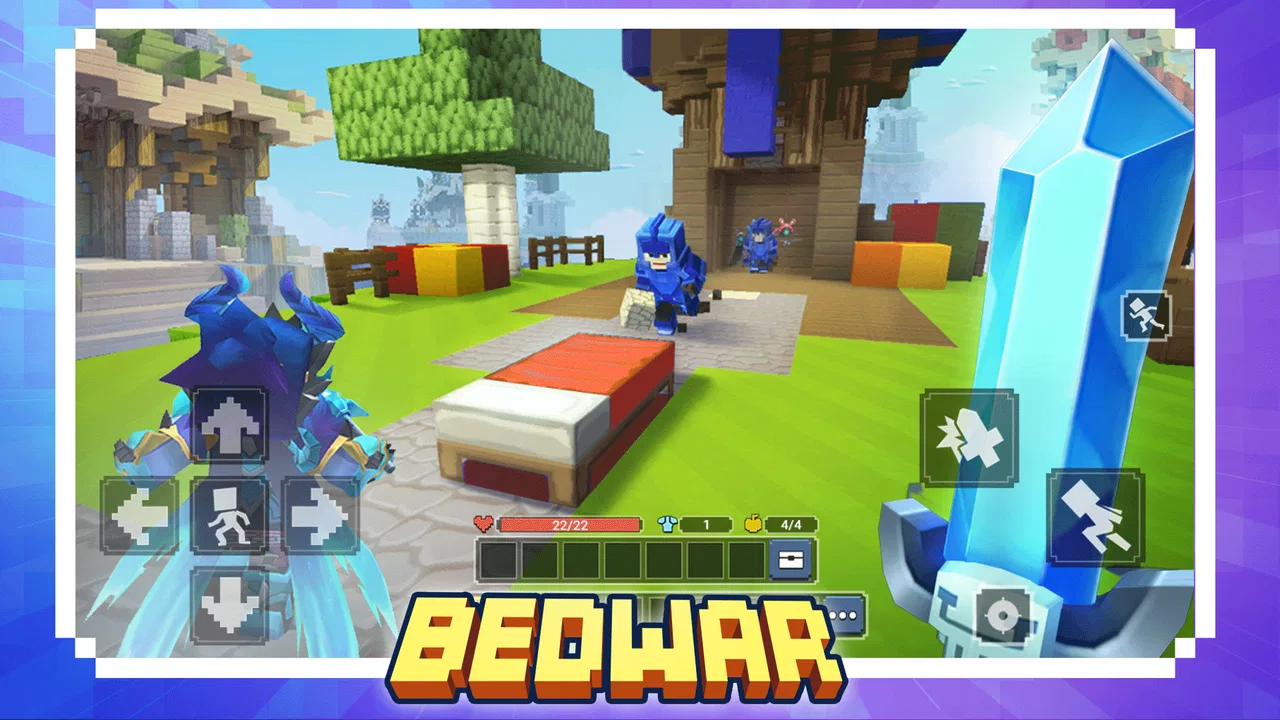
The visual style is deliberately simple and recognizable. Characters, environments, and objects use a block-based design, which gives the game a playful identity and makes the various activities feel connected. It is not trying to deliver realistic graphics, and that is a strength here. The clear shapes help me understand what is happening quickly, particularly when several players are moving around the same space.
At the same time, the game can feel busy. A new player may see many rooms, activities, menus, and social elements before understanding which choice will lead to an enjoyable first match. My advice is not to treat the opening like a checklist. Pick one activity that looks understandable, play it long enough to learn its basic rhythm, and only then start exploring the wider selection.
The social side is important to the overall design. Multiplayer changes the mood of the mini-games: a simple obstacle or competitive challenge can become much more entertaining when other people make unexpected decisions. It also means that the quality of a session depends partly on the players you meet. If you prefer quiet solo play, this may feel less comfortable than a conventional offline arcade title.
Because the game is free, the main barrier to trying it is not an upfront purchase. However, it includes optional in-app purchases ranging from $0.29 to $199.99 per item. I would approach those purchases carefully, especially if a younger player will use the account. The free entry is useful for testing whether the game fits your taste, but it is worth deciding in advance how much spending, if any, belongs in your play routine.
How I would approach the first session
On the first launch, I would avoid trying to understand every part of the platform. The useful goal is much smaller: get into one activity, learn its controls, finish a round or make meaningful progress, and notice whether the basic movement feels comfortable on your device. That first success tells you more than browsing every menu.
I also recommend choosing a mode based on the type of session you want. If you are testing the game during a short break, look for something with a clear objective and a quick result. If you are playing with friends, take more time to explore the social areas and compare activities together. The game is broad enough that the right starting point depends on your mood rather than a single ideal route.
One practical habit helped me: after entering a mini-game, I pause mentally before moving quickly. I look for the goal, identify what counts as failure, and watch another player for a moment if the rules are unclear. In a block-based environment, visual clues may be more useful than reading every line of text, and this small delay prevents a lot of pointless early mistakes.
Getting from installation to a useful first result
Blockman Go supports devices running Android 5.0 or later. Once installed, I would give the game a moment to load its main environment rather than tapping through menus rapidly. The first meaningful result is not winning against experienced players. It is understanding how to enter an activity, move with confidence, and complete one objective without feeling lost.
For a realistic everyday example, imagine opening it after school or during a commute when you have roughly ten minutes. I would choose one mini-game, play a complete attempt, and stop to consider whether I enjoyed the controls and pace. If the first activity is not a good fit, that does not necessarily mean the entire platform is disappointing; the collection format makes it sensible to try a different activity before deciding.
New players should also remember that early failure can come from unfamiliarity rather than poor ability. Multiplayer rooms may include people who already know the route or timing. Instead of immediately spending anything to improve the experience, I would repeat the same activity once or twice and learn its visual patterns. That is a better test of the game’s real appeal and avoids turning the first session into a purchase decision.
Your first win should be understanding the loop, not proving that you are already good at it. Once I knew how a chosen activity started, what I was trying to accomplish, and how a round ended, the rest of the platform became much easier to judge.
Where the game becomes more interesting
The strongest feature is the contrast between short activities. A player who becomes bored with one style of challenge can move elsewhere without installing a separate game. That makes the platform useful for families or friend groups with different tastes, provided everyone is comfortable with the social and Teen-rated environment.
I particularly like the way the shared block aesthetic gives unrelated activities a common sense of place. Even when the rules change, the visual language remains familiar. This reduces the learning burden slightly: I may need to understand a new objective, but I am not also adjusting to an entirely different art direction.
There is also a useful trade-off in the variety. More choice creates replay value, but it can weaken depth. A dedicated arcade game built around one polished mechanic may offer tighter controls and a clearer progression path. Blockman Go is better when I want to sample different experiences, not when I want one carefully balanced challenge to master for weeks.
Another non-obvious strength is that the platform can work as a social compromise. If one friend prefers fast action and another prefers exploration or casual interaction, the collection may give both players a reason to stay in the same app. The compromise is not perfect, because the quality and pace can vary from one activity to another, but it is more flexible than a single-purpose game.
Common confusion and how to avoid it
The first confusion is assuming that every activity follows the same controls or objective. They do not necessarily feel identical, so I would treat each new selection as a small tutorial. Read the immediate instructions, observe the layout, and resist the urge to judge the whole game after one awkward attempt.
The second is mistaking the social hub for the main game. The surrounding spaces can be enjoyable, but they are not always the quickest route to a satisfying session. If you opened the app specifically to play, move toward an activity instead of spending your entire first visit wandering through menus and shared areas.
A third source of friction is the difference between being present and making progress. You can enter a room and see other players without yet understanding what action matters. I found it helpful to ask three simple questions: what is the immediate goal, what causes a setback, and how will I know the round is over? Those questions turn a confusing room into a manageable task.
New players may also wonder whether they need to pay to enjoy the game. Since it is free to play, I would first explore the available experience without buying anything. The presence of optional purchases means the game has a spending layer, but that does not make spending a requirement for deciding whether the core format suits you. Set a personal limit before browsing purchase options, particularly when the device is shared.
Another reasonable question is whether the game is suitable for a younger child. The listed content rating is Teen, so I would not treat it as a preschool or universally child-friendly title. A parent should consider the rating, the multiplayer setting, and the possibility of optional purchases before allowing regular access. The bright block style may look harmless, but the audience and social context deserve attention.
Players also ask whether the game is better alone or with friends. I think it is more convincing with people you know, because discussing which activity to try makes the variety feel purposeful. Solo players can still find enjoyable sessions, but they may need more patience while learning unfamiliar activities and adapting to public multiplayer rooms.
Small strategies that improve the experience
My first practical tip is to keep a short mental shortlist of activities you genuinely enjoy. The platform’s variety can encourage constant switching, but repeatedly jumping away after a single mistake prevents you from learning which modes have real staying power. Give promising activities a fair second attempt, then move on if the underlying pace still feels wrong.
My second tip is to use observation as a tool rather than treating it as wasted time. In a multiplayer room, another player’s movement can reveal the intended route, timing, or interaction more clearly than a crowded instruction panel. This is especially useful during the first attempt, when memorizing every detail is less effective than watching the flow of a successful action.
My third tip concerns device and session management. Because this is a broad platform rather than a tiny one-screen arcade game, I would avoid beginning a new activity when I have only a few seconds available. A rushed start makes the menus feel more frustrating and can leave you judging the game unfairly. When I have a little uninterrupted time, the transition between activities feels much more natural.
A fourth trade-off is worth keeping in mind: the same social variety that creates memorable moments can also introduce inconsistency. Some sessions may feel lively and surprising, while others may feel confusing or less rewarding. I would choose Blockman Go for flexible entertainment, not for a perfectly predictable routine.
Who should try it, and who should choose something else
I recommend it to players who enjoy experimenting, meeting others in game spaces, and switching between short arcade experiences. It is also a sensible option for someone who wants one free app with more variety than a single endless runner or one fixed puzzle loop. The large audience means the concept has clearly reached many players, and the 4.2 average reflects a generally positive reception.
I would be more cautious about recommending it to someone who wants a focused solo campaign, a quiet offline experience, or one mechanic with highly refined competitive balance. A dedicated alternative in those categories may feel cleaner and less distracting. Likewise, players who dislike social environments or optional purchase systems may prefer a paid arcade game with a simpler structure.
The developer’s long-running support of the title is visible in its continued presence and current version, but a new player should still judge the experience by personal comfort rather than by age or install count. A mature platform can offer plenty to explore, yet it can also carry layers that make the first hour less immediate than a newly launched single-mode game.
My recommendation after settling in
After spending time with Blockman Go, I see it as a flexible arcade playground rather than a replacement for every other game on a phone. Its appeal comes from the combination of block-based presentation, multiplayer interaction, and a broad menu of mini-games. When I want to browse, experiment, and share a session, that combination works well.
The opening requires a little discipline. I would choose one activity, learn its objective, complete a meaningful attempt, and only then explore the rest. That route removes much of the initial confusion and gives a first-time player a clear answer to the most important question: is the variety entertaining enough to justify returning?
The free price makes that experiment easy, while the Teen rating and optional purchases mean it deserves a thoughtful setup, especially on a shared device. I would not recommend spending during the first session. Learn the controls, compare several activities, and decide whether the social format suits you before considering anything extra.
In the end, I recommend Blockman Go to players who value choice more than a single polished game loop. It is at its best when I treat it as a place to discover a favorite mini-game, invite friends into the search, and accept that not every activity will be equally strong. If that sounds like your kind of arcade experience, Blockman Go is worth trying; if you want a focused, calm, single-player challenge, another type of game will probably serve you better.
FAQs for Blockman Go
01What is Blockman Go?
Blockman Go is a mobile game platform that offers a variety of mini-games within a single app. Players can enjoy different genres, from action to puzzle games, and even create their own games using the platform's tools. It's available on both Android and iOS, providing a social gaming experience with chat features.
02Is Blockman Go free to play?
Yes, Blockman Go is free to download and play. However, it includes in-app purchases that allow players to buy virtual items, premium features, or customize their avatars. These purchases can enhance the gaming experience but are not necessary to enjoy the game fully.
03How does multiplayer work in Blockman Go?
Blockman Go supports multiplayer gameplay, allowing players to join friends or meet new people in various mini-games. The platform includes a chat feature, enabling communication with other players in real-time. You can create private rooms or join public games to compete or collaborate in different scenarios.
04What are the system requirements for Blockman Go?
Blockman Go requires an Android device running version 4.1 or higher, or an iOS device with iOS 9.0 or later. It’s relatively lightweight but performs best on devices with sufficient RAM and storage space. Ensure your device meets these requirements for a smoother gaming experience.
05Are there parental controls in Blockman Go?
Yes, Blockman Go includes parental controls to ensure a safe environment for younger players. Parents can manage chat settings, control in-app purchases, and monitor game activities. These features help create a secure and supervised gaming experience for children.
Pros
- Diverse mini-games for all ages.
- Easy multiplayer connectivity.
- Customizable avatars enhance fun.
- Regular updates with new content.
- User-friendly interface and design.
Cons
- In-app purchases can be pricey.
- Some games have bugs and lags.
- Ads can interrupt gameplay.
- Requires stable internet connection.
- Limited offline features.

Blockman Go
Gallery